3D GPU Explorer
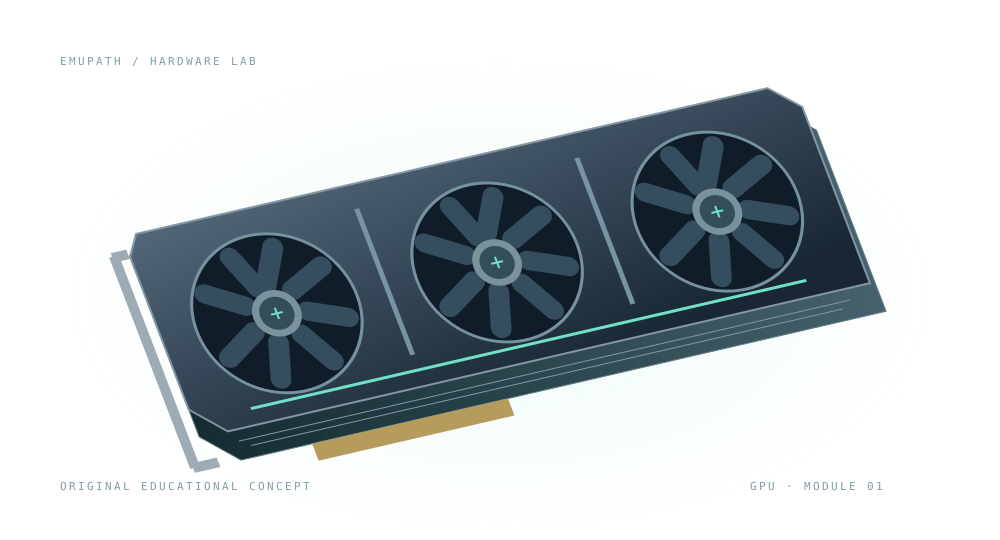
Explore the parts of a modern flagship graphics card. Turn it around, separate its layers, and understand what makes it work.
FLAGSHIP GPU / CONCEPT 0119 components · 4 views
Runs in your browser. No download or installation.
Explore the assembled card. Select a component below to locate it.
Educational visualization: an original teaching aid inspired by modern flagship graphics cards. Not an official NVIDIA or GeForce product asset, teardown or blueprint. Component counts, proportions and connector arrangements are illustrative.
Your component field guide
A graphics card combines computation, memory, power conversion and cooling. Follow a component below, or use the numbered markers in the explorer.
01Fans
Move air through the cooler to carry heat away from the card.
Why it matters: Airflow helps the heatsink release heat. Fan speed and cooler design affect noise.
Location: Three fans above the heatsink.
02Fan shroud
Supports the fans and helps guide airflow around the cooler.
Why it matters: Keeps the fan assembly aligned and protects the cooling structure.
Location: The frame surrounding the three fans.
03Heatsink fins
Thin metal plates spread heat across a large surface exposed to air.
Why it matters: More useful surface area improves heat transfer to the moving air.
Location: Beneath the fans, above the circuit board.
04Backplate
A rear plate that helps support and protect the circuit board.
Why it matters: Adds rigidity; some designs also use it to spread heat through thermal pads.
Location: The underside of this model, opposite the main cooler.
05Mounting bracket
Secures the card to the computer case and exposes its display connectors.
Why it matters: Supports the card at the rear expansion slots.
Location: The short metal end of the card.
06HDMI output
A digital connection that carries video and audio to a compatible display.
Why it matters: The supported resolution and refresh rate depend on the card, cable and display.
Location: One connector on the mounting bracket.
07DisplayPort outputs
Digital display connections commonly used with computer monitors.
Why it matters: Connect the graphics card to displays; available features depend on the implementation.
Location: Two illustrative connectors beside HDMI on the bracket.
08Auxiliary power connector
Brings additional power from the power supply to the card.
Why it matters: High-power cards need more power than the motherboard slot alone supplies. Always follow the actual card's installation instructions.
Location: Along the upper edge of the PCB.
09PCIe x16 edge connector
Gold contacts connect the card to the motherboard's PCI Express slot.
Why it matters: Carries data and some power. A physically x16 connector does not by itself specify its generation or active lane count.
Location: Along the lower edge of the PCB.
10GPU die / core
The silicon processor carries out parallel computation for graphics and other supported workloads.
Why it matters: Processes rendering tasks and works with graphics memory. The visible square is a simplified representation of the die and its package.
Location: Near the center of the PCB, underneath the cold plate.
11VRAM memory chips
Dedicated graphics memory stores textures, frame buffers and other data the GPU needs.
Why it matters: Both memory capacity and bandwidth matter; capacity alone does not determine performance.
Location: The small packages surrounding the GPU core.
12PCB · printed circuit board
A layered circuit board mechanically supports components and connects them electrically.
Why it matters: Routes power and signals between the GPU, memory, interfaces and power circuitry.
Location: The green board at the center of the assembly.
13VRM · voltage regulation
A circuit made of a controller, power stages, inductors and capacitors that converts and regulates supply voltages.
Why it matters: The GPU and memory need controlled lower voltages, not the raw input supply.
Location: The highlighted group of power components on the right of the PCB.
14MOSFETs / power stages
Switch current rapidly as part of the voltage regulator. Integrated stages can combine several functions.
Why it matters: Together with inductors and control circuitry, they efficiently convert power for the GPU and memory.
Location: The dark packages in the power-delivery row.
15Chokes / inductors
Store energy in a magnetic field and help smooth the switching current.
Why it matters: They are an essential part of converting and filtering power in the VRM.
Location: The taller square blocks next to the power stages.
16Capacitors
Store electrical charge and help smooth voltage changes.
Why it matters: Help keep supply voltages stable as the GPU's workload changes.
Location: Small cylindrical components near the power-delivery circuitry.
17Thermal pads
Compliant thermal interface material bridges gaps between components and cooling surfaces.
Why it matters: Helps transfer heat from memory and power components. Actual thickness is design-specific.
Location: Between selected memory packages and the cooler.
18Cold plate
The cooler's contact surface takes heat from the GPU through a thermal interface.
Why it matters: Provides a heat path to the rest of the cooler. Some real designs use a vapor chamber; this concept uses a simple cold plate and heat pipes.
Location: Directly above the GPU core.
19Heat pipes
Sealed tubes move heat using evaporation and condensation of a working fluid.
Why it matters: Distribute heat from the cold plate into the heatsink fins.
Location: Copper-colored tubes running through the cooler.
Follow the connections
Graphics memory →The motherboard connection →How heat leaves the GPU →Power delivery basics →Explore Hardware Lab →
Further reading: Micron: graphics memory · Texas Instruments: multiphase power
Learning notes
Is a GPU the same as a graphics card?
The GPU is the processor. A graphics card is an assembly that includes the GPU, memory, power circuitry, a circuit board and usually a cooling system.
Is this an exact model of a commercial card?
No. This is an original, simplified flagship-class teaching model. Layouts, component counts and cooling designs vary. It does not specify a real card's memory capacity, power rating or performance.
Why separate the cooler from the board?
The cooler hides most of the electronics. Exploded view separates the layers so you can trace heat from the GPU through the cold plate, heat pipes, fins and moving air. It is not a disassembly guide.
Can I learn without 3D?
Yes. Every component has a description below. The learning panel also works without WebGL, and camera controls have keyboard-accessible buttons.